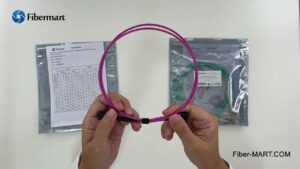
In today’s high‑density network environments, effective and reliable connectivity is critical to maintaining peak performance. One essential component that helps data centers achieve optimal fiber management is the mpo 12 breakout cable. These cables provide the high port density needed for modern data center architectures while maintaining signal integrity and ease of installation. In this article, we will walk through practical installation tips to help ensure a successful deployment of MPO 12 breakout cables, with special attention to best practices and references to Fiber‑mart’s quality products.
Understanding MPO 12 Breakout Cables
Before diving into installation techniques, it’s important to grasp what an mpo 12 breakout cable is and why it matters. These cables consist of a single MPO connector at one end that splits into 12 individual LC connectors at the other. They are commonly used in high‑density backbone and trunk applications, enabling efficient connection between switches, patch panels, and servers.
Fiber‑mart offers a wide range of MPO 12 breakout cables designed for both singlemode and multimode networks, ensuring that data centers can achieve the performance and reliability required for today’s demanding applications.
Preparation Before Installation
Proper preparation is key to a smooth installation process. Taking the time to plan and organize your workspace will prevent mistakes and reduce downtime.
Cable Inspection
Always inspect your mpo 12 breakout cable before installation. Look for any signs of damage, such as bent pins in the MPO connector or crushed breakout legs. Physical damage can compromise performance and cause signal loss. Fiber‑mart provides inspection tools and pre‑tested cables that minimize the risk of defective parts.
Workspace Organization
Keep your workspace clean and free of debris. Fiber optic connectors are sensitive to dust and dirt, which can degrade performance. Use lint‑free wipes and isopropyl alcohol to clean connectors if necessary. Organize your cables and tools in a way that prevents tangling and confusion during installation.
Documentation and Labeling
Accurate documentation and labeling are indispensable. Each cable should be labeled with its destination port and purpose. This practice not only aids in the current installation but also makes future troubleshooting and upgrades much easier. Use Fiber‑mart’s color‑coded labels or pre‑printed tags to streamline this process.
Best Practices for Routing and Handling
Proper routing and handling of mpo 12 breakout cable will help maintain signal integrity and prolong the life of your installation.
Respect Bend Radius
Fiber optic cables are sensitive to bending. Exceeding the specified bend radius can lead to micro‑bends which cause signal attenuation. Always follow the manufacturer’s recommended minimum bend radius. Fiber‑mart’s MPO cables are clearly marked with bend radius indicators, making it easier to adhere to specifications during installation.
Avoid Sharp Edges
When routing your mpo 12 breakout cable, ensure that there are no sharp edges along the pathway. Sharp edges can damage the cable jacketing and fiber strands. Use protective grommets or cable management systems to safeguard the cables as they pass through racks or enclosures.
Use Proper Cable Management
Use cable trays, ties, and panels to support and organize the cables. Fiber‑mart offers a variety of cable management solutions designed for high‑density environments. Effective cable management reduces stress on the cable and makes future maintenance simpler. Make sure that cable ties are snug but not overly tight, which could compress the fiber.
Connector Installation Techniques
The connectors are where the magic happens, and proper technique is essential to ensure optimal performance.
Clean Before You Connect
Always clean connectors before mating them. Even microscopic dust particles can cause significant signal loss. Use Fiber‑mart’s fiber cleaning kits, which are designed to safely and effectively remove contaminants from MPO and LC connectors.
Confirm Connector Orientation
When inserting the MPO connector into its adapter or module, ensure that you have the correct orientation. MPO connectors are keyed, and incorrect insertion can bend the fiber pins or damage the adapter. Pay attention to the keying marks and alignment guides provided with Fiber‑mart’s MPO systems.
Secure Connections
After seating the connector, gently pull back to verify that it is fully locked into place. Loose connections can lead to intermittent signal loss and network instability. Ensure that all 12 fibers are properly engaged and that the connector latches securely.
Testing and Validation
Testing is a critical step that should never be overlooked. Even the most carefully installed mpo 12 breakout cable can encounter issues if not properly tested.
Use Certified Test Equipment
Use certified optical test equipment such as OTDRs (Optical Time Domain Reflectometers) and power meters to validate cable performance. Fiber‑mart carries a range of testing solutions that help verify continuity, loss, and overall network integrity.
Document Test Results
Record all test results in your network documentation. Include details such as insertion loss, return loss, and any other measurements relevant to your organization’s standards. Keeping detailed records makes it easier to spot trends and diagnose future problems.
Perform Visual Inspection
In addition to electronic testing, visually inspect all connections and cable paths. Ensure that there are no signs of stress or damage after routing and securing the cables.
Troubleshooting Common Issues
Despite best efforts, issues can sometimes arise. Here are a few common problems and solutions specific to mpo 12 breakout cable installations.
High Loss or Signal Degradation
If you encounter high loss readings during testing, first clean all connectors and re‑test. If the problem persists, check for sharp bends or tight cable ties that may be stressing the cable. Re‑route the cable if necessary to maintain proper bend radius.
Connectivity Problems
If certain channels aren’t transmitting data, verify that each individual LC connector is properly seated in its port. Confirm that the MPO connector is correctly oriented and fully engaged. Sometimes reseating the connectors resolves intermittent issues.
Pin Damage
Bent or broken pins in MPO connectors are a common issue. If you suspect pin damage, inspect the connector under magnification. If damage is found, replace the mpo 12 breakout cable rather than attempting repairs, as compromised pins can lead to unpredictable performance.
Finalizing the Installation
Once installation and testing are complete, take a moment to finalize your setup.
Secure and Protect
Ensure that all cables are securely fastened and that there is no undue strain on any section. Use Fiber‑mart’s protective covers on unused ports to prevent dust ingress. Proper protection helps maintain long‑term reliability in your data center.
Update Network Documentation
Update your network maps and documentation with the latest information about your mpo 12 breakout cable deployment. Accurate records are invaluable for future expansion and troubleshooting.
Conduct Regular Audits
Schedule regular audits to check the condition of your fiber infrastructure. Periodic inspections and testing help catch issues before they impact network performance.
Conclusion
Installing mpo 12 breakout cable in a data center requires thoughtful planning, precise execution, and adherence to best practices. From careful inspection and handling to testing and documentation, each step plays a vital role in ensuring a reliable and high‑performing network. Leveraging quality products and tools from Fiber‑mart makes the process more efficient and dependable. By following these installation tips, data center professionals can confidently deploy MPO 12 breakout cables that stand the test of time and meet the demands of modern network environments.